
Accessing Card Control
Control your debit card settings, receive usage alerts, lock and unlock your cards for safety purposes, and stay informed of attempted fraud and declined transactions through Card Control.
Download the App (Mobile Users)

Download the Legacy Bank mobile app from the App Store or the Google Play Store to get started.
Log In

Log into the Legacy Bank online banking or mobile app and enjoy easy access to your online accounts.
- Your username and password will be the same information you use for your online banking account.
- Mobile: If your phone supports fingerprint and facial recognition, you may use these features to gain access to your account.
Settings
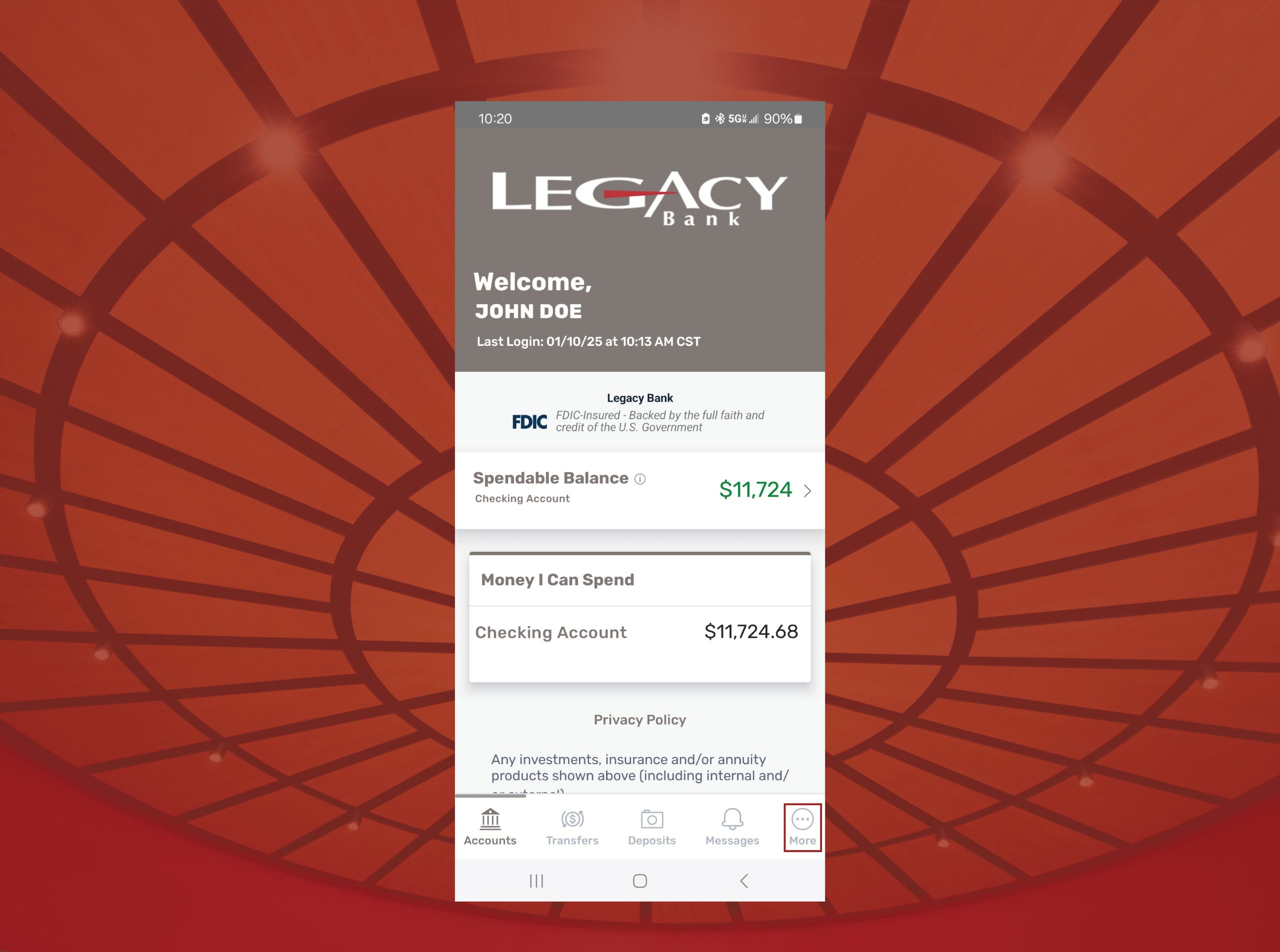
Online: Click on “My Card” located at the top-right corner of the online banking portal.
Mobile: Tap on the “More” icon located at the bottom-right corner of the app, then select “My Card”.
Add Legacy Bank Card
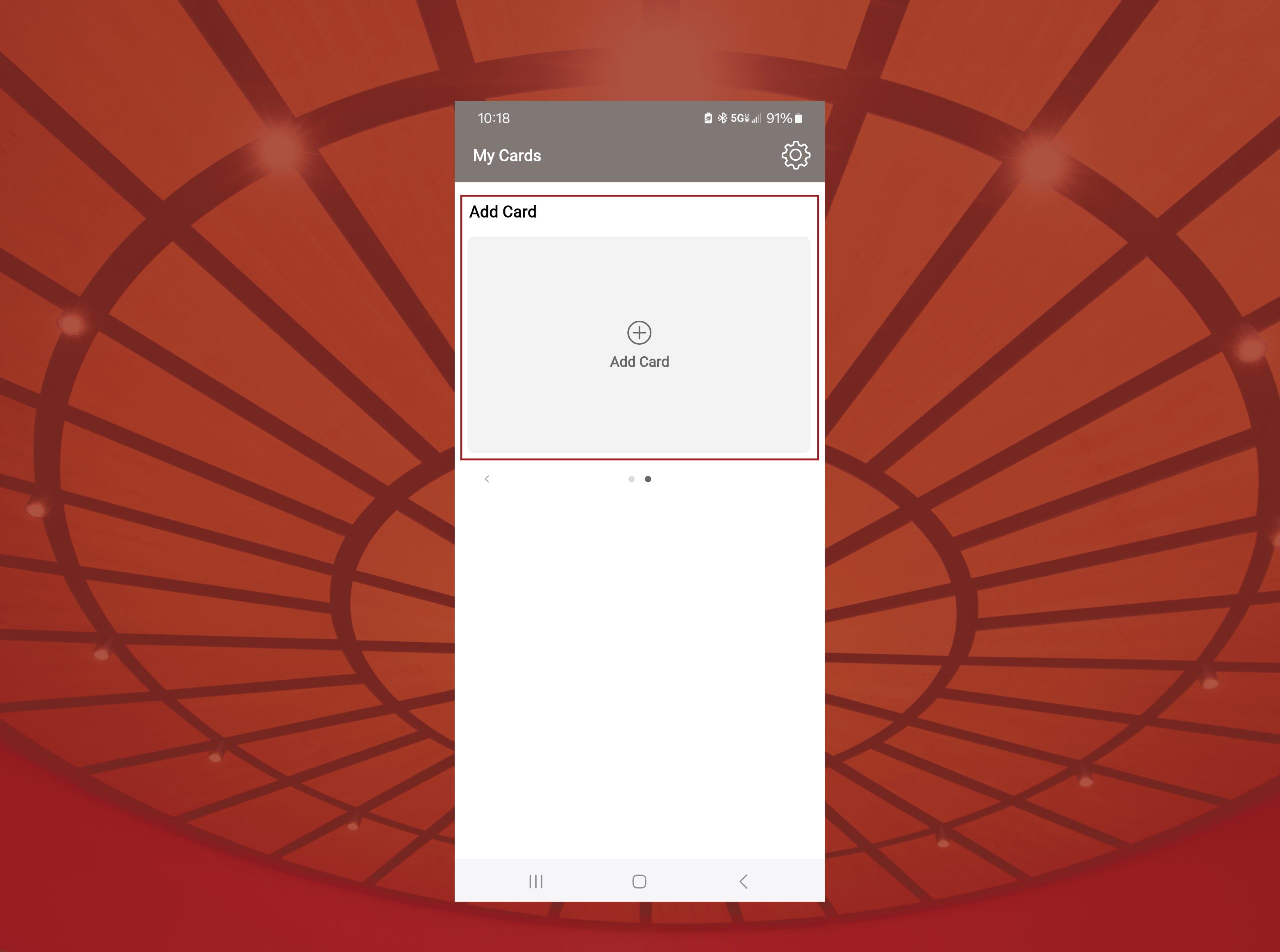
After navigating to Card Controls, select “Add Card.” Enter your Legacy Bank card details, follow the prompts to verify, and you’re all set to start managing your card!
Manage Card Control

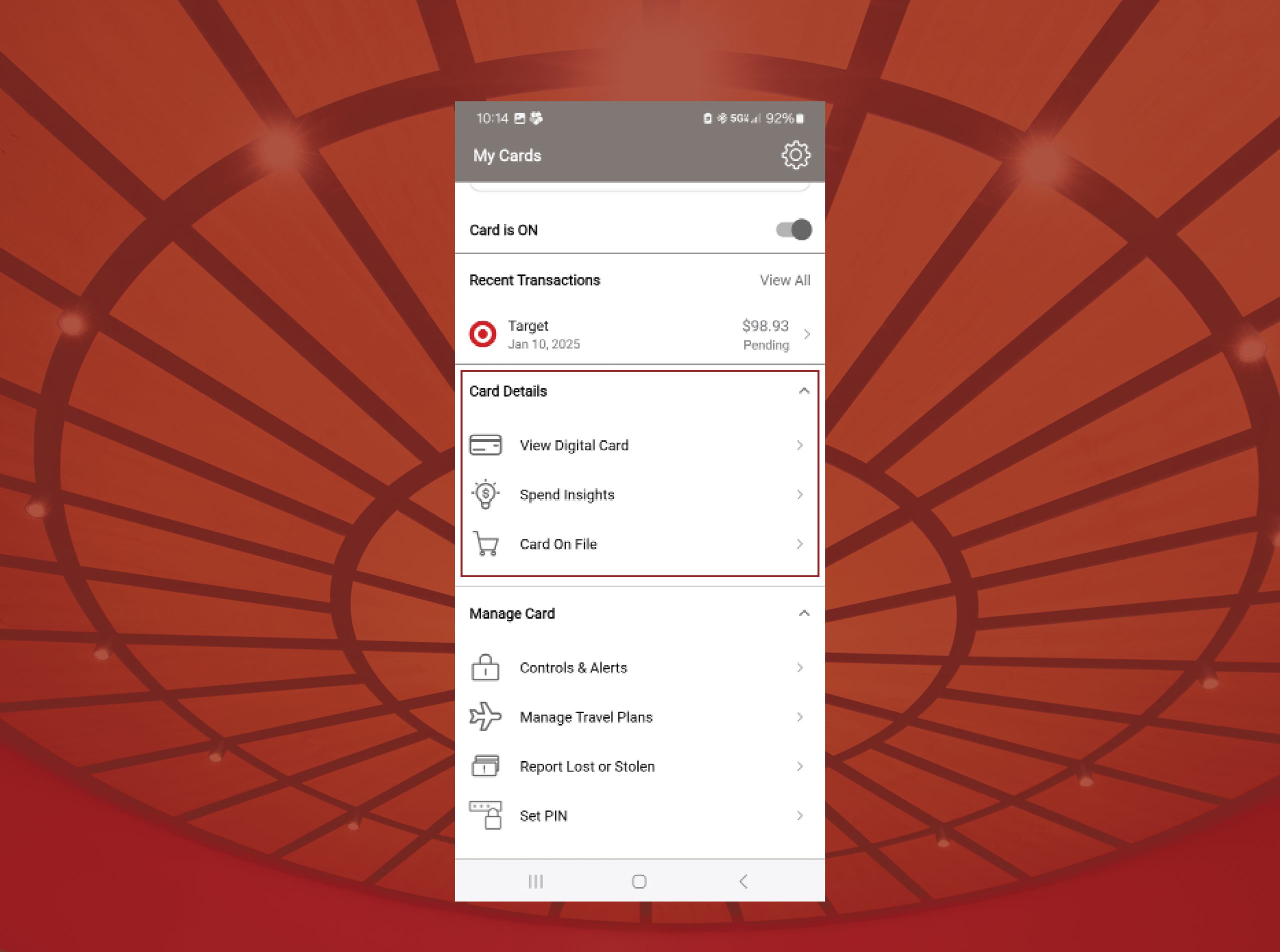
Set your location, manage your spending, explore merchants, and review your transaction types.
Card Details
Lock Your Card
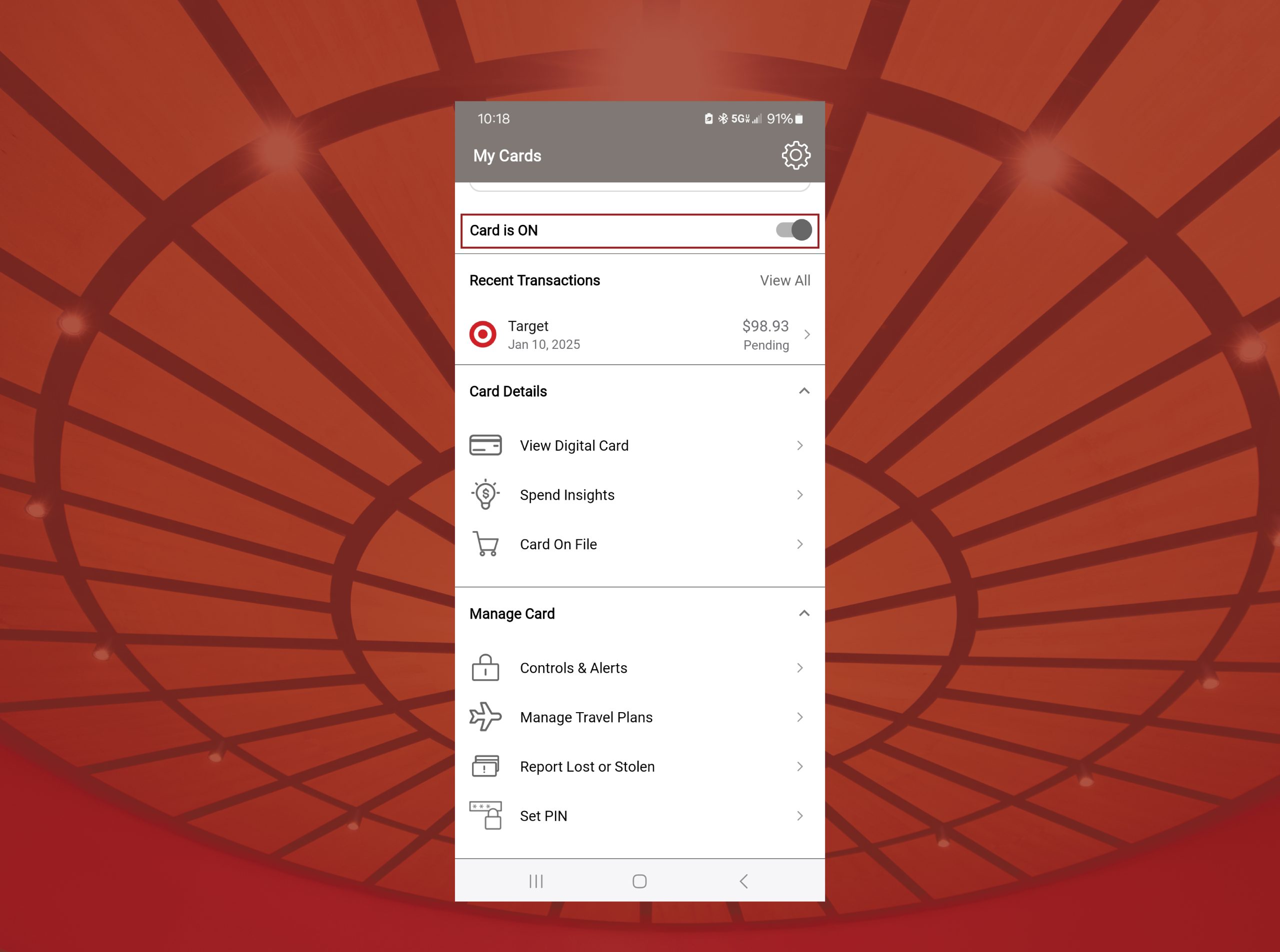
With Card Control, you have the ability to lock and unlock your credit and debit cards for safety purposes. Enjoy 24/7 control of your cards by utilizing this quick and easy feature!

